
One workflow. From source to published clip.
This walkthrough describes real steps in the Windows application and what a reviewer or new user should expect to see.
1. Install the Windows application
Use the Windows installer provided by the operator, install the required Python and FFmpeg components, and open GTA Clip Studio. Configure source discovery and choose whether clips require manual review. The website itself does not install programs or log into social accounts.
2. Choose your stream source
Open the Streamers tab. Select a target game such as GTA 6 or enter a custom keyword or stream tag. Review available live streams and their viewer counts. A stream must be authorized for download, transformation, and reposting before it can be used as a source.
3. Capture eligible footage
Start live monitoring or import an authorized finished recording. The recorder saves video segments on the Windows computer. Supported versions may run multiple independent recorders, limited by the configured stream count and available hardware.
4. Generate and inspect highlights
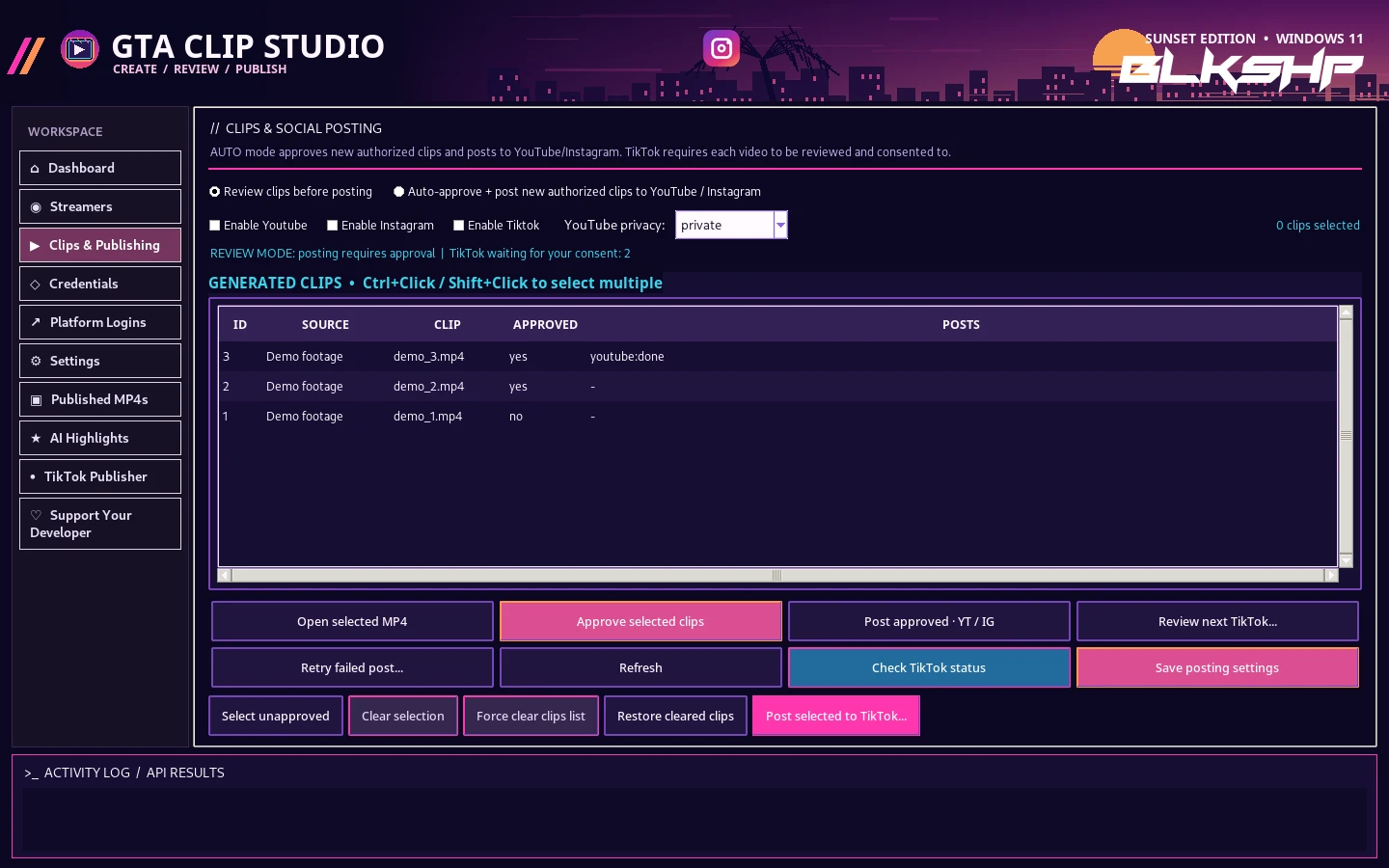
GTA Clip Studio generates vertical clip candidates with optional local speech captions. Open Clips & Publishing to preview MP4 files, inspect captions and adjust their approval state. Automated approval may be configured only for sources with confirmed reuse rights.
5. Connect publishing accounts
In Credentials, connect a platform using its supported API flow. YouTube uses OAuth-based account access. Instagram requires a compatible professional account and publishing permissions. TikTok's official posting flow requests creator information and user-selected privacy settings; public posting depends on TikTok review and its consent rules.
6. Submit and review results
Publish an approved clip to selected platforms. The application records success, pending status or an error when the platform responds. If a status is ambiguous, check the destination account before retrying to avoid a duplicate upload.
Questions about platform connections?
See which capabilities require creator authorization and why some API publishing features may not be available before platform review.